SMS stands for Short Message Service, the technology behind basic text messages sent between phones. When someone asks what SMS means in texting, they’re usually asking about the plain text messages your phone sends over a cellular network, separate from internet based chats like iMessage or WhatsApp.
This guide breaks down what SMS actually is, how it works, how it differs from similar terms, and why the distinction still matters in 2026.
Table of Contents
- What SMS Means: The Simple Definition
- Where the Term SMS Came From
- How SMS Actually Works
- SMS vs. MMS vs. iMessage vs. RCS
- What an SMS Message Looks Like in Real Life
- Why People Still Use SMS Today
- Common Misunderstandings About SMS
- Quick Reference: Texting Terms Explained
- Expert Tips for Using SMS Effectively
- FAQ
- Summary
What SMS Means: The Simple Definition
SMS is short for Short Message Service. It’s a texting standard that lets phones send and receive short blocks of text, usually up to 160 characters per message, over a mobile carrier’s network.
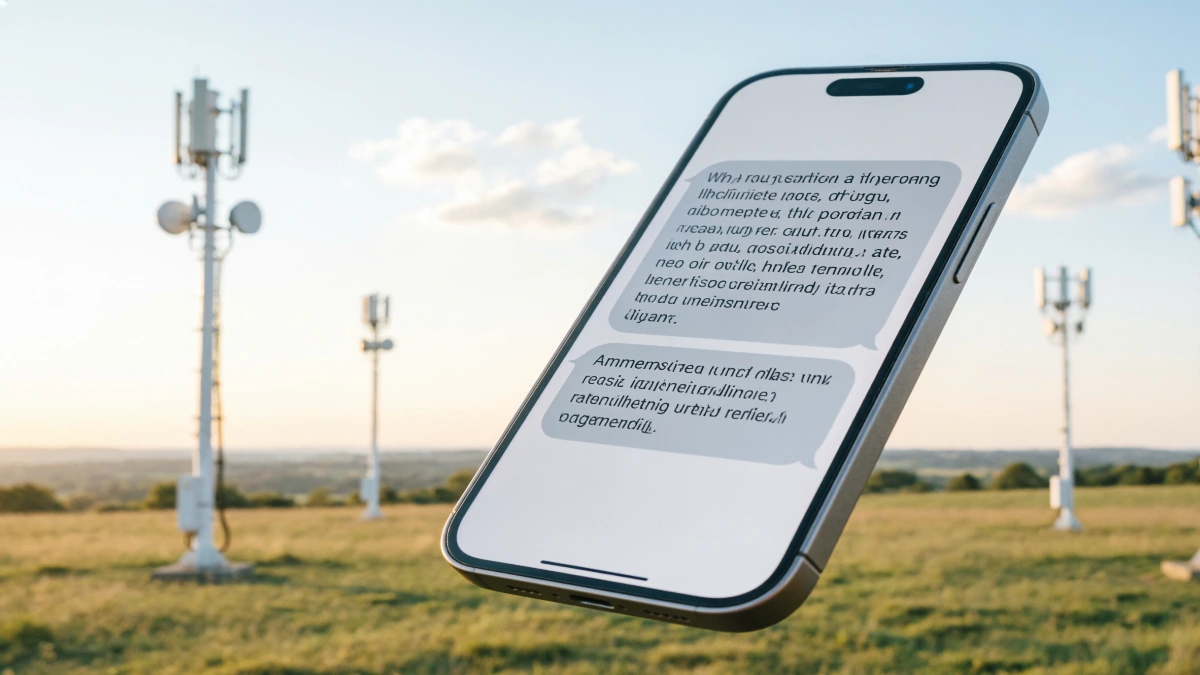
Unlike apps that need Wi Fi or mobile data, SMS runs on the same signal your phone uses for calls. That’s why an SMS can go through even in areas where data service is weak, as long as you have basic cell signal.
Think of SMS as the original texting format. Every phone that can make calls can typically send SMS messages, even older devices without internet access.
Why Does My Phone Say SMS?
Many people first notice the term SMS when sending a text message or checking their phone’s messaging settings. If your phone displays “SMS,” it simply means the message is being sent as a standard text over your mobile carrier’s network instead of through an internet based messaging service.
For example, on an iPhone, a message may switch to SMS when the recipient doesn’t use iMessage or when an internet connection isn’t available. On Android phones, SMS is often used automatically whenever RCS chat features aren’t supported or are temporarily unavailable.
In most cases, you don’t need to choose between SMS and other messaging methods manually. Modern smartphones automatically select the best available option based on your device, your recipient’s phone, and the available network connection.
Where the Term SMS Came From
SMS started as part of the GSM (Global System for Mobile Communications) standard, which mobile carriers began building in the 1980s. Engineers designed it as a simple way to send short alerts alongside voice calls.
The first SMS text message was sent in December 1992, from a computer to a phone on a UK mobile network. At the time, nobody expected texting to become a daily habit for billions of people.
For years, SMS was limited to plain text because early phone networks weren’t built to handle large files or images. That limitation is actually why the format has stayed so lightweight and reliable.
How SMS Actually Works
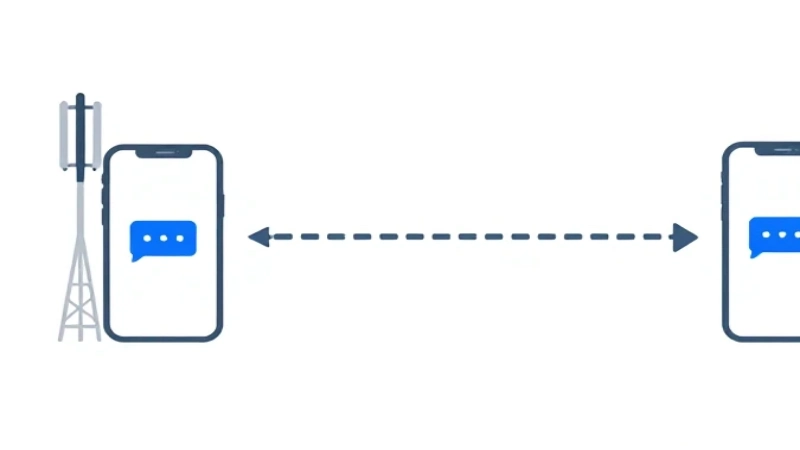
When you send an SMS, your phone doesn’t send it directly to the other person. It routes the message through your carrier’s network using something called an SMSC, or Short Message Service Center.
Here’s a simplified version of the path a text takes:
- You type a message and hit send.
- Your phone sends it to your carrier’s SMSC.
- The SMSC finds the recipient’s carrier and forwards the message.
- The recipient’s phone receives it, usually within seconds.
Because this process relies on cell towers instead of the internet, SMS can work in more places than data based messaging apps, including areas with spotty data coverage.
One technical detail worth knowing: SMS messages are capped at 160 characters if you’re using standard English letters and numbers. Longer messages get split into multiple linked texts, then reassembled on the receiving phone so they appear as one message.
What Happens If an SMS Doesn’t Send?
Although SMS is known for its reliability, messages don’t always go through immediately. If the recipient’s phone is turned off, out of coverage, or experiencing network issues, the message is usually stored temporarily by the carrier’s Short Message Service Center (SMSC). Once the recipient reconnects to the network, the carrier attempts to deliver the message automatically.
Sometimes an SMS may fail completely because of poor signal strength, an inactive phone number, carrier outages, or messaging restrictions. In these situations, your phone may display a “Not Delivered” notification or give you the option to try sending the message again.
Checking your cellular signal, restarting your phone, or confirming that the recipient’s number is correct often resolves common delivery problems.
Does SMS Need Wi Fi or Mobile Data?
No. Standard SMS messages do not require Wi Fi or a mobile data connection. Instead, they travel through your mobile carrier’s cellular network using the same basic infrastructure that supports phone calls.
As long as your phone has a cellular signal and your mobile plan supports texting, you can usually send and receive SMS messages even if mobile data is turned off.
However, internet based messaging services such as iMessage, WhatsApp, Messenger, and Signal rely primarily on Wi Fi or mobile data. If neither is available, these apps may not send messages until an internet connection is restored.
Understanding this difference helps explain why SMS often works in situations where internet messaging apps cannot.
Advantages and Limitations of SMS
SMS has remained popular for decades because it is simple, reliable, and compatible with virtually every mobile phone. Unlike many messaging apps, it does not require users to create accounts, install additional software, or use the same platform.
Some of the biggest advantages of SMS include:
- Works on almost every mobile phone.
- Doesn’t require Wi Fi or mobile data.
- Ideal for verification codes and urgent alerts.
- Compatible across different phone brands and operating systems.
Despite these strengths, SMS also has limitations:
- Plain text only without rich media features.
- No end to end encryption.
- Limited message length.
- No typing indicators or read receipts.
- Lower quality media support compared with modern messaging platforms.
For everyday conversations, SMS remains dependable, while newer technologies such as RCS and iMessage offer a richer messaging experience when supported.
SMS vs. MMS vs. iMessage vs. RCS
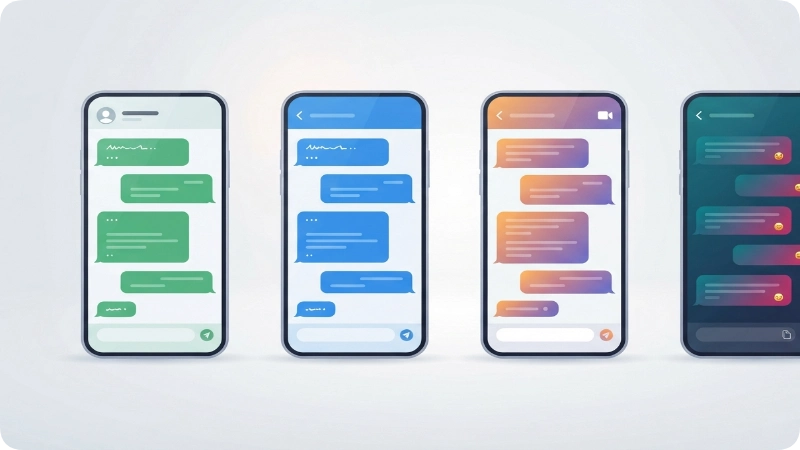
People often use “texting” as a catch all word, but there are actually several different technologies working behind the scenes. Knowing the difference helps explain why some texts show up green and others show up blue, or why a photo sometimes fails to send.
SMS vs. MMS
MMS stands for Multimedia Messaging Service. It’s built on top of SMS but allows photos, videos, audio clips, and group messages. If you’ve ever sent a picture in a text thread, that was MMS, not SMS.
A simple way to remember it: SMS handles words, MMS handles media.
SMS vs. iMessage
iMessage is Apple’s own messaging system, and it only works between Apple devices using an internet connection. When an iPhone can’t reach iMessage servers, either because Wi Fi and data are both off or because the recipient doesn’t have an iPhone, the message falls back to SMS or MMS instead.
This is why iPhone users sometimes see blue bubbles (iMessage) and other times see green bubbles (SMS or MMS) in the same conversation.
SMS vs. RCS
RCS, or Rich Communication Services, uses a newer standard to replace SMS by offering features like read receipts, typing indicators, higher-quality media, and better group chats while still working over a carrier connection instead of requiring a specific app. Many Android phones now use RCS by default, and Apple added RCS support to iPhones as well, so texts between Android and iPhone users can carry richer features when both sides support it. If either the sender or recipient doesn’t support RCS, the conversation automatically falls back to SMS or MMS, ensuring messages can still be delivered across different devices.
Here’s a quick side by side comparison:
| Feature | SMS | MMS | iMessage | RCS |
| Sends plain text | Yes | Yes | Yes | Yes |
| Sends photos/videos | No | Yes | Yes | Yes |
| Needs internet | No | Usually not | Yes | Usually yes |
| Works across all phone brands | Yes | Yes | No (Apple only) | Mostly, when supported |
| Read receipts/typing indicators | No | No | Yes | Yes |
What an SMS Message Looks Like in Real Life
Because SMS is just plain text, examples of it show up everywhere in daily life. A few common ones:
- A friend texting “running 10 min late, sorry!” with no photo attached.
- A bank sending “Your one time code is 483920. Do not share this code.”
- A doctor’s office texting “Reminder: your appointment is tomorrow at 2pm.”
- A retailer sending “Your order has shipped. Track it here: [link]”
Notice that these are all short, plain text, and don’t rely on any special app. That’s the signature of a true SMS message.
Why People Still Use SMS Today

People often assume that SMS is outdated when they start using apps like WhatsApp or iMessage, but SMS still serves an important role for a few practical reasons.
It works without an internet connection. As long as you have basic cell service, SMS goes through, which matters in rural areas, during travel, or when data plans run out.
It’s the default for two factor authentication. Most banks, email providers, and apps still send verification codes by SMS because they do not require recipients to install a specific app.
It reaches everyone, regardless of phone brand. SMS doesn’t care if you have an iPhone or an Android phone. A message sent as SMS will arrive either way.
Businesses rely on it for direct communication. Appointment reminders, delivery updates, and short alerts often use SMS because open rates for text messages tend to be higher than for email.
Another reason SMS remains valuable is its reliability during emergencies or network congestion. Because SMS messages require very little bandwidth, they may succeed when mobile data is slow or overloaded. Government agencies, emergency services, schools, and healthcare providers often use SMS to deliver urgent alerts quickly to large numbers of people.
How Businesses Use SMS
Businesses use SMS to communicate with customers quickly and directly. Because text messages typically have high open rates, companies often rely on SMS for important updates that customers are likely to read within minutes.
Common business uses include:
- Appointment reminders from healthcare providers.
- Delivery and shipping notifications.
- Two factor authentication codes.
- Banking security alerts.
- Flight status updates.
- Customer support notifications.
- Marketing promotions for customers who have opted in.
Most countries require businesses to obtain permission before sending promotional SMS messages and to provide an easy way for customers to unsubscribe.
Common Misunderstandings About SMS
“SMS and texting are the exact same thing.” Not quite. Texting is the general activity, while SMS is one specific technology behind some texts. A photo message, for example, is technically MMS, not SMS.
“SMS messages always cost money.” This used to be true when carriers charged per text, but most modern phone plans now include unlimited SMS and MMS as a standard feature.
“SMS is only for old phones.” Every smartphone still supports SMS, and it often works as a silent backup system even when you’re using a messaging app for most conversations.
People often misunderstand a green bubble as a failed message, but an iPhone sends a green bubble message as an SMS or MMS instead of an iMessage.
It doesn’t mean anything went wrong.
Quick Reference: Texting Terms Explained
| Term | Full Name | What It Sends | Need Internet? |
| SMS | Short Message Service | Plain text only | No |
| MMS | Multimedia Messaging Service | Text, photos, video, group chats | Usually not |
| RCS | Rich Communication Services | Text, media, read receipts, reactions | Usually yes |
| iMessage | Apple’s messaging service | Text, media, reactions, effects | Yes |
Is SMS Safe to Use?
SMS is generally safe for everyday conversations, appointment reminders, and verification codes. However, it is not designed with the same level of privacy as encrypted messaging apps.
Because standard SMS messages are not end to end encrypted, they may be less secure for sharing sensitive personal information such as passwords, financial details, or confidential business data.
Users should also be cautious of phishing scams, often called smishing, in which attackers send fake text messages pretending to be banks, delivery companies, or government agencies. If an SMS asks you to click an unexpected link or share personal information, verify the sender before responding.
Expert Tips for Using SMS Effectively
Keep messages under 160 characters when possible because longer texts can split and reassemble, which may occasionally cause delays or out-of-order delivery on older phones.
Use SMS as your backup, not your only option, for important messages. If you’re not sure the recipient will see an app notification, a plain SMS is more likely to get through and get noticed.
Be cautious with SMS based verification codes. Never share a one time code you receive by text, even if the message looks official, since this is a common scam tactic.
Remember that SMS isn’t encrypted the way some messaging apps are. Avoid sending sensitive personal information, like full account numbers, over SMS when a more secure option is available. Keep your phone number updated with banks, healthcare providers, and other important services so you continue receiving security codes and essential SMS notifications without interruption.
Quick Reference Table
| Question | Answer |
| What does SMS stand for? | Short Message Service |
| Does SMS need internet? | No |
| Maximum message length | 160 characters per SMS |
| Can SMS send pictures? | No (uses MMS instead) |
| Works on Android and iPhone? | Yes |
| Is SMS encrypted? | No |
| Common uses | Personal texts, OTPs, reminders, alerts |
FAQs
Does SMS cost extra money to send?
Most carrier plans today include unlimited SMS and MMS, so there’s usually no extra charge, though it’s worth checking your specific plan if you’re on a very basic or prepaid option.
Why do some of my texts show as blue and others as green?
On an iPhone, iMessage sends messages as blue bubbles over the internet, while the phone sends messages as green bubbles through SMS or MMS over the cellular network, usually because the recipient does not use an iPhone or iMessage is unavailable.
Is SMS secure?
Standard SMS is not end to end encrypted, meaning it’s less private than apps built specifically with encryption in mind. It’s fine for everyday conversations but not ideal for highly sensitive information.
What happens if my SMS message is longer than 160 characters?
Your phone automatically splits it into multiple linked messages, then the receiving phone reassembles them into one message thread, so you usually don’t notice the split at all.
Is RCS replacing SMS?
RCS is gradually becoming the more common standard for texting between supported phones, offering richer features, but SMS still exists as the fallback option when RCS isn’t available on one or both ends.
Can businesses still use SMS for marketing or reminders?
Yes, and many do, since SMS has high open rates and doesn’t require customers to download an app, though businesses must follow opt in and privacy regulations when sending marketing texts.
Why am I receiving SMS instead of iMessage?
Your iPhone sends an SMS instead of an iMessage when the recipient does not use Apple’s messaging service, when you turn off iMessage, or when you do not have an internet connection. SMS provides a reliable fallback that delivers your message through the cellular network.
Can I disable SMS on my phone?
Most smartphones allow you to disable SMS only by turning off text messaging services provided by your carrier or by using internet based messaging apps exclusively. However, doing so may prevent you from receiving important verification codes, banking alerts, and emergency notifications.
Are SMS messages stored on my phone?
Yes. Your phone’s messaging app typically stores SMS messages unless you delete them. Depending on your device and backup settings, cloud services may also save them, or you may transfer them when you switch to a new phone.
Why are some SMS messages delayed?
Weak cellular coverage, temporary carrier outages, network congestion, or problems with the recipient’s phone may delay SMS delivery. Most systems automatically deliver delayed messages once network conditions improve.
Can I send SMS internationally?
Yes, most mobile carriers support international SMS messaging. However, international text messages may incur additional charges depending on your mobile plan and the destination country, so it’s a good idea to check your carrier’s pricing before sending them.
Summary
SMS, or Short Message Service, is the original plain text messaging technology that runs over cellular networks rather than the internet. It’s different from MMS, which adds photos and videos, and from newer systems like iMessage and RCS, which offer richer features but usually need an internet connection.
Even with all the newer messaging apps available, SMS remains a reliable fallback for everyday texting, two factor authentication, and business communication because it works on nearly every phone, everywhere there’s cell signal.